Amaranth - Nightwish - 2007

Showing posts with label Mutimedia-Editor. Show all posts

Dec 18, 2007

Magic Music Studio Pro 7.3.10.1

Photo Sharing and Video Hosting at Photobucket

Magic Music Record/Convert/Edit/Rip/Burn Studio Pro is refined as a premier solution in audio realization. You can work with Magic Music Record/Convert/Edit/Rip/Burn Studio Pro in many different ways.

Not only can you use Magic Music Record/Convert/Edit/Rip/Burn Studio Pro to grab music from a CD, but also record audios, in virtually any format. Stop there, and burn your improved, converted audio files to disc. Or use the advanced audio editor to create your own music and songs that you can transfer to CDs, or ushare it with your friends in party.

Faster, better, more; that’s what Magic Music Record/Convert/Edit/Rip/Burn Studio Pro is all about. Grabbing audio has never been faster, and creating free-style music has never been easier. Your music is where, when, and how you want it, and your music never express this good. Expand your digital horizons with the #1 audio solution!

What you can do with Magic Music Record/Convert/Edit/Rip/Burn Studio Pro: Six applications are provided in Magic Music Record/Convert/Edit/Rip/Burn Studio Pro
* Audio Recorder records audio from micro phone, CD, video, and any audio you can hear from your computer.
* Audio Converter offers wide-covered Real-time Decoding technology. Whether you need MP3 in pocket player, or WMA for Web delivery, it offers the quality your business demands.
* Audio Editor edits an audio file and applies different effects as well as filters.
* Audio CD Burner integrates all of the burning technology into one workstation. It’s the only authoring station that gives you fast and efficient access to Disc-Audio production.
* Audio MP3 CD Burner digitize MP3 to the hard disk, in a way that is suitable to burn it on an audio CD.
* Audio Grabber is designed specifically for music fans and brings every track in a CD to your professional productions.

Homepage
Download (12.2 MB)
Password: www.softarchive.net

Nov 14, 2007

Video Enhancer 1.7

Photo Sharing and Video Hosting at Photobucket

Video Enhancer allows you to:


1. Increase resolution of your video with Video Super Resolution technique which delivers unbelievable quality by using information from previous frames, while all the other resize methods use information from one current frame. Now you can convert your SD video to HD!

2. Use more than a hundred of VirtualDub filters allowing you to do everything you want with your video: deinterlacing, denoising, deblocking, color correction, deshaking, sharpening, visual effects etc. On multiprocessor systems, dual core or hyperthreading CPUs works a lot faster than VirtualDub because all filters, decoders and coders work in separate threads simultaneously.

3. Open any video which can be played on your system and re-compress it with any video codec (DirectShow, DMO and Video for Windows) installed in your system.

Homepage
Download (2.28 MB)
Password: www.softarchive.net
Oct 13, 2007

Xilisoft Video Editor 1.0.18.1012

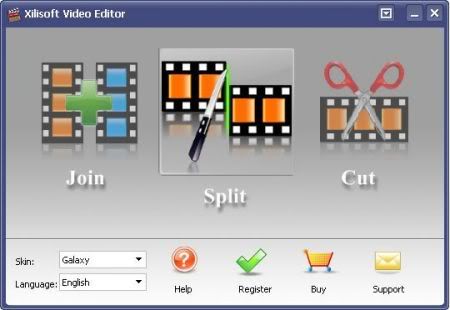
Xilisoft Video Editor is one of the best video editing software which contains the functions of Video Joiner, Video Splitter and Video Cutter. With the video editing software, you can join multiple video files together, split one file to several segments, select and cut your favorite segments super easily and fast, with excellent quality.

As a Video Joiner, the Video Editor provides an easy and complete way to join and combine multiple video formats to one file. The video editing software supports so comprehensive video formats including AVI, MPEG, MP4, WMV, 3GP, H.264/MPEG-4 AVC, H.264/PSP AVC, MOV, and ASF etc.

As a Video Splitter, the Video Editor supports splitting one video file to several segments manually or automatically like magic. If you prefer to split a movie automatically, you could specify the video edit software to split it by time, size or split averagely.
As a Video Cutter, the Video Editor can assist you to select your favorite segments in one file, and cut out the segments you dislike to meet your needs of perfecting your movies and videos.

Homepage
Download (10.33 MB)
Mirror
Password: softarchive

Sep 15, 2007

Flash Decompiler Trillix 3.0.0.400

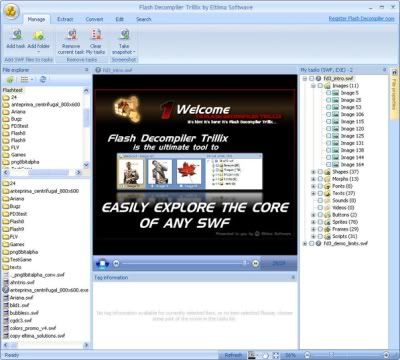
Flash Decompiler delivers power to extract all resources from a SWF file (Macromedia Flash file). Flash Decompiler is the fastest and most reliable flash extractor on the net. With an ease of one click you can store sounds, images, videos, shapes, frames, morphs, fonts, texts, buttons, sprites and ActionScripts from any SWF file directly to your hard drive. Intellectual item-by-item preview, user-friendly controls with fully-customizable interface make Flash Decompiler a truly collaborative environment for professional work. We offer you the best support of SWF format available today.

Full features list:
* Export Flash Video into AVI and other playable formats
* SWF to FLA conversion
* Easiest and fastest one-click decompilation
* Intellectual preview of decompiled SWF elements
* Extract sounds, images, videos, shapes, frames, morphs, fonts, texts, buttons, sprites and ActionScripts with a single click
* Export into multiple formats
* Export shapes, images, sounds, morphs and texts into FLA
* ASCII, Hex, binary memory dump
* Grouped showing mode for multiple items in decompiled class
* Selectable background color for SWFs
* Detailed tag information
* Convenient tags navigation with tracking their placements in frames and sprites
* Detailed movie information
* View and play your SWF files directly in Flash Decompiler
* Compressed SWF files support
* The system of favorites for easy navigation
* Intuitive user-friendly interface
* Interface skins - Customize Flash Decompiler to meet your personal taste and needs
* Predefined interface layouts
* Multilingual interface
* Editable interface languages. Help us translate Flash Decompiler into your native language and we will be glad to offer discounts on our products or even free license
* All Flash versions supported
* Replace colors in SWF files

Homepage
Download (13 MB)
Mirror
Mirror
Password: softarchive

Sep 6, 2007

Audio Edit Magic 9.2.16.8

This visual audio editor and converter software supports many advanced operations with audio data. With Audio Edit Magic, you can open, create, save, play, and record from any available source; edit visually (cut, copy, delete, delete silence, paste, and mix); apply various effects (amplify, compress, delay, equalize, fade in, fade out, flange, invert, normalize, reverse, silence, stretch, and vibrato); and apply filters. Audio formats supported include WAV (compressed and uncompressed); MPEG Layer 3; MPEG Layer 2; Windows Media Audio; VOX (dialogic ADPCM); AU (Unix audio); AIFF (Apple audio); RAW; and audio CD tracks.


Homepage
Download (7.48 MB)
Mirror
Password: softarchive

Aug 27, 2007

Wave MP3 Editor 11.0

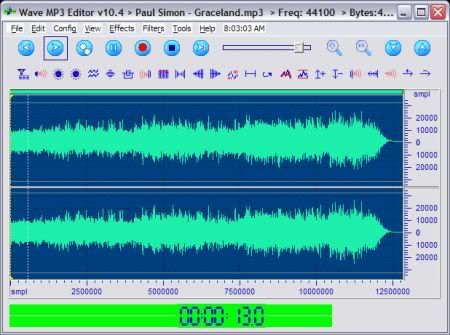
Wave MP3 Editor - Don't let the name fool you: this is much more then just an editor to tweak wav or mp3 files! Is an advanced audio editing/ recording software solution for pros and amateurs alike: enabling you to perform audio editing functions with amazing ease. You'll find that it offers specialized audio tools like non other on the market. Not just for WAV & MP3 - now also supports WMA, OGG & CDA (CD tracks) files. It has a "personality" of it's own: designed to be, what we call, "polite": gently guiding you to shorten the learning curve. Get down to the "nitty gritty" with it's clean interface and powerful features fast.

Just some of what Wave MP3 Editor can do for you:
o Receive and record iNet Radio broadcasts easily!
o Digitize your old tapes and records, save them to your hard drive: allowing you to burn them to CD.
o Record your voice and add special effects (like echo and fade).
o Delete the annoying applause at the end of a song that was recorded live.
o Apply audio filtering or effects to a music file in order to make it sound better.
o Record your voice and overlay it on top of background music.
o Record cassette talking books and burn to CD-R to backup and preserve.
o Record a music lesson and learn from the playback.
o Amplify a song that's been recorded too quietly.
o Fade out the end of a song.
o Wave MP3 Editor is capable of recording from any source your computer supports (microphone, speaker output, line-in, etc.)
o Graphic waveform window allows you to see a visual display of your audio and zoom in or out at will.
o Cut-and-paste editing of your audio in the waveform window
o Edits and records both stereo and single-channel audio
o ...

Homepage
Download (20 MB)
Mirror
Password: softarchive.net

Aug 17, 2007

NewLive All Media Fixer Pro 8.1

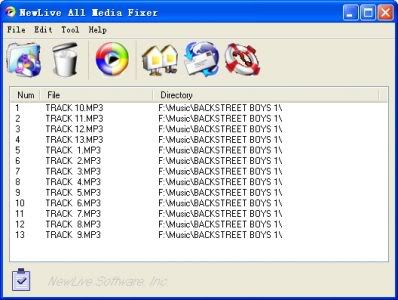
All Media Fixer is a handy tool that help you one click to repair media files which can not be played or dragged. It is a good Avi fixer, Mpeg fixer, Rm fixer, Mp3 fixer, Wmv fixer, Dvd fixer, VCD fixer, Jpg Fixer, Ipod fixer, mp4 fixer. It can repair avi , repair mpeg, repair wmv, repair dvd, repair rm, repair ipod, repair mp4, repair jpg, repair mp3, repair ipod, repair 3GP etc. The rate of success in the fix has reached 82.8% to 97.6%.

* Fix media file can not be played or dragged.
* Fix media file which are not completely downloaded.
* Fix partly damaged media file.
* It can repair avi , repair mpeg, repair wmv, repair dvd, repair rm, repair ipod, repair mp4, repair jpg, repair mp3, repair ipod, repair 3GP tc.
* Sent out a sound when complete the task.
* More 30 styles of SKIN to use.
* Support: WMA, WMV, ASF, WM, ASX, AVI,

Homepage
Download (1.4 MB)
Mirror
Password: softarchive.net

Alive Video Joiner 1.2.8.9

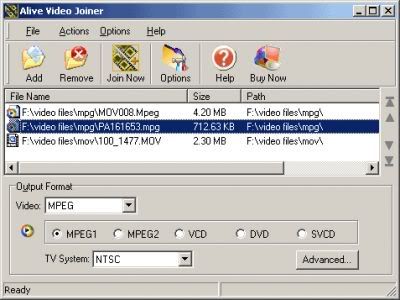
Alive Video Joiner is a professional video tool to Join multiple video files into one large file, you can combine multiple AVI, MPEG, WMV or ASF files into one large video file, and save as AVI, MPEG, WMV, RM format. Alive Video Joiner supports encoding AVI with DivX, XviD, MPEG-4, and encoding MPEG with MPEG-1 and MPEG-2, DVD, VCD, SVCD.

Alive Video Joiner allows you to add an unlimited number of video files to the list and rearrange their order you needed, then merge the videos files to a large movie file in in various formats.
Key features of video joiner:
* 1) Join multiple video files into one large AVI, MPEG, WMV or RM file;
* 2) Merge MPEG files to a single one;
* 3) Alive Video Joiner supports DivX, XviD avi format;
* 4) Support MPEG-1, MPEG-2, DVD, VCD, SVCD format;
* 5) Support both TV systems: NTSC/PAL;
* 6) Schedule converting support;
* 7) Our video joiner supports drag-drop to load video files;
* 8) High converting speed, wonderful output quality.

Homepage
Download (10 MB)
Mirror
Password: softarchive.net

May 8, 2007

Speed Video Splitter 2.4.37


Speed Video Splitter is a small video conversion tool. Fast conversion speed and easy user interface are its distinct strongpoints. Speed Video Splitter supports various video formats, such as AVI(Divx,xDiv), MPEG-4, mpeg(vcd,svcd,dvd compatible), wmv, asf, Quick Time, VOB, DAT. It supports Batch File Mode that can split more than one pieces, just needs one click. Speed Video Splitter is a video conversion application that allows you to split video files.

Here are some key features of "Speed Video Splitter":
· Create DVD, VCD and SVCD (PAL,NTSC) compatible mpeg.
· Support Windows Media Format(wmv/asf).
· Support AVI(including the DivX format).
· Support Quick Time movie.
· Support Unencrypted Video DVD VOB format(need dvd decoder, download it from http://www.softflyers.com).
· Support Video VCD DAT format.
· Splite file between all supported formats.

Homepage
Download (3.14 MB)
Mirror
Password: softarchive.net

Apr 14, 2007

BoilSoft AVI MPEG RM WMV Joiner 4.82

Wanna find a perfect tool to combine the multiple video clips into one large movie file? Our AVI/MPEG/RM/WMV Joiner (formerly AVI/MPEG/RM Joiner) is the comprehensive and easy solution!!

Features
* Support join AVI, DivX, MPEG-4 files.
* Support join MPEG-1 and MPEG-2 video files.
* Support join RM, RMVB files.
* Support join ASF, WMV, WMA files
* Join video files as many as you want.
* Scramble and rearrange the video clips in the sequence that you exactly desire.
* Very User-friendly interface.

Homepage
Download (3.1 MB)
Mirror (mega)
Password: softarchive.net

Mar 25, 2007

Canopus MPEGCraft 3 DVD 3.04 Retail

Cut, Stitch and Burn MPEG Video with MPEGCraft 3 DVD

The latest version of this easy-to-use MPEG editing software from Canopus can trim, cut, stitch, and re-encode MPEG-1 and MPEG-2 video, even without requiring any encoding at all, in some cases. MPEGCraft 3 DVD also provides DVD import, chapter and menu creation for DVD export...

MPEGcraft DVD gives users frame-accurate MPEG editing capabilities and eliminates lengthy encoding times by reencoding only the edited segments of the video clip. Once an MPEG sequence is edited, MPEGcraft DVD’s authoring capabilities can burn directly to a disc or generate the necessary system files for future DVD authoring.

With MPEGcraft DVD, users can manually insert chapter points or automatically create chapter points according to clip changes within the video. DVD titles can also be authored to repeat playback indefinitely, which is ideal for advertising kiosks, video displays and information booths.

MPEGCraft 3 DVD has the ability to work with native HDV MPEG-2* footage, and use segment HDV encoding. With MPEGCraft 3 DVD, you can capture directly from your HDV camera, easily trim and remove sections of HDV content without having to wait hours and hours for a new HDV file to be created, and then export back to tape. You can also use MPEGCraft 3 DVD to turn your HDV footage into a DVD for others to enjoy.

*MPEGCraft 3 DVD only supports encoding and export of 1080i HDV

Homepage
Download (29.3 MB)
Password: www.softarchive.net
Digital Audio Editor 7.8.12

Digital Audio Editor is a visual audio editor and recorder software solution, which supports many advanced and powerful operations with audio data.
With Digital Audio Editor you can: Open, create, and save audio files in any of the supported formats (can also save any portion of a loaded file to disk as a new file); Display audio data waveform (Zoom Full, Zoom In, Zoom Out, Zoom Vertical); Play audio files or any portion of the files (Play, Pause, Stop); Record audio data from a microphone or any other available input device (you can record audio from DVD / VCD / CD Player, MP3 Player, RealPlayer, Windows Media Player, Web Page, Internet Conversation, Internet News, Internet Radio Station and more); Edit audio files visually (Cut, Copy, Delete Selection, Delete Silence, Paste, Paste From File, Mix, Mix From File); Apply various effects (Amplify, Compressor, Delay, Equalize, Fade In and Fade Out, Flanger, Invert, Normalize, Phaser, Reverb, Reverse, Silence, Shrink, Stretch, Vibrato, etc.); Apply different filters to any selected portion of audio files; Convert an audio file from one format to another, and much more! Why do you need a music editing software? Do you have one of the following problems with your music? You have many music CDs and want to save them as audio files on you pc. You have many tapes and want to save them as audio files on your pc.

There are many music files on you pc and they eat too much disc size. Share music with your friends and family members via Internet but the music files are too large to send. You want to split, combine mp3 files? You want to get parts from existing music. Use them to create new music. Make some changes to your music. Increase or decrease the volume, add fade in or fade out to you music, change the play speed. Apply some digital effect to your music. Record a piece of time, a conversation, a course or a lecture in real time. These problems have one thing in common: you can solve them by a good music editor software. Try Digital Audio Editor and enjoy music editing now!

Here are some key features of "Digital Audio Editor":
· Create, import and export audio files.
· Display audio files in the waveform or the spectral view modes and apply zooming.
· Record audio from any available audio source and play audio files.
· Edit and master audio with the following tools (Cut, Copy, Delete Silence, Paste, Paste From File, Mix, Mix From File).
· Apply different effects (Amplify, Delay, Equalizer, Fade, Flanger, Invert, Normalize, Reverse, Silence, Stretch, Vibrato, Echo).
· Apply different filters (BandPassFilter, FFTFilter, HighPassFilter, HighShelfFilter, LowPassFilter, LowShelfFilter, NotchFilter).

Homepage
Download (7.40 MB)
Password: www.softarchive.net
Mar 18, 2007

Okoker MP3 Splitter 1.7

Okoker Mp3 Splitter is a powerful and handy software utility and easy-to -use that can split MP3 files. You can cut a new part file from a MP3 audio file without recompression and loss in quality. For splitting you don't need enter start and end time manually. It's enough to select the desired part visually using a mouse - the program draws MP3 files as waveform. You can set a certain time to split a MP3 file. It can split MP3 files into equal files by block or time. It is a good Mp3 splitter.

* Draws MP3 files as waveform.
* Split Mp3 visually using a mouse.
* Set any time to split a MP3 file.
* Split Mp3 into equal files by block or time.
* Split a new samll file from a large MP3 audio file.
* It has a very beautiful and unique interface.

Homepage
Download (4.44 MB)
Password: www.softarchive.net

Feb 24, 2007

Aone Ultra Video Splitter 4.0.2

Ultra Video Splitter is a professional video file splitting tool which split, cut or trim a large video file into smaller clips like AVI Splitter, MPEG Splitter, WMV Splitter, RM Splitter, MP4 Splitter etc.

The Movie Splitter supports so many video formats including AVI, Divx, XviD, MPEG, WMV, ASF, RM, MOV, 3GP, MP4 formats. Using the included video player, you can split a movie file to smaller clips in AVI, DivX, MPEG, VCD, SVCD, DVD, WMV formats.

Ultra Video Splitter provides different splitting mode to make splitting easy.You can extract multiple segments of any size by using the visual editing mode, or split the selection into multiple pieces of equal size automatically.

It already includes all video encoders and decoders , you don't need download any other codecs to make it work.

Key Features
* Split,cut or trim large video files into smaller clips in various format
* Supports AVI, Divx, XviD, MPEG, WMV, ASF, RM, MOV, 3GP, MP4 and VCD SVCD bin/cue image
* Split supported files to AVI, DivX, Xvid
* Split supported files to MPEG1, MPEG2
* Split supported files to VCD, SVCD, DVD compatible MPEG formats
* Split supported files to WMV
* All encoders/codec are built-in and any supported conversion can be done once you downloading the software
* NTSC/PAL setting options for DVD, VCD, SVCD exporting
* Support "Drag and Drop" from Windows Explorer
* Custom define the output audio volume
* Add letterbox to keep the original aspect ratio
* Support large video file, even large then 2GB
* Fast conversion speeds and high quality
* Simple GUI and very EASY to use

Homepage
Download (7.6 MB)
Password: www.softarchive.net

Feb 12, 2007

VideoCharge Full version 3.7.4.14

VideoCharge Full includes VideoCharge for Professionals + VideoCharge Express!

VideoCharge is a multifunction, easy in use software product for conversion of Video, Audio, or Image files sequences! VideoCharge was developed for people, who really need quick and qualitative conversion of Video/Audio/Image file(s) from one format to another, modifying any parameters of a specified format. VideoCharge represents a convenient mechanism for those persons who want to create licensed Video or Image file(s), when each frame/image is overlaid with a logotype (Watermark), title or text. For those, who wants to produce video file with effect of 25th frame, and also for those, who wants to create several screenshots, capturing video frames. VideoCharge is essential for those people, who needs to create Video gallery with a set of thumbnails for each video clip. You can create thumbnails in automatic mode or specify some of them, make preliminary edition, and upload thumbnails to FTP server after their generation.
VideoCharge is a converter of Video, Audio, and Image files, that is allows you to convert multimedia files from one format to another. VideoCharge supports the following formats:
- AVI (Audio Video Interleave) allows you to work with any Video codec, installed into the system, and decode DivX, XVid and other type of files.
- Mpeg (Moving Picture Experts Group) supports cording into Mpeg1 and decoding into Mpeg1, Mpeg2. Works with DVD and makes possible previewing and decoding of .vob files separately or as a group (applying data of .ifo files).
- ASF, WMV, WMA (Advanced Streaming Format, Windows Media Video, Windows Media Audio) supports processing of Windows Media 7, 8, 9.
- Wave (WAV) - allows you to work with audio data in RIFF format. It transforms audio files into any of the installed audio codecs, for example, Mp3.
- Image files' formats: BMP, GIF, PNG, TIFF, JPEG.

Except conversion mechanism, VideoCharge is used to perform other additional operations:
- Merging Video, Audio or Image files sequences into single output file.
- Splitting up Video or Audio file(s) into several equal files (splits), according to specified time range or size in bytes.
- At the same time, if you use VideoCharge for Professional, you can preview all created splits and mark those of them which should be generated.
- Definition of timelines and saving them as separate Video or Audio files.

Homepage
Download (21.9 MB)