Amaranth - Nightwish - 2007

Showing posts with label CD/DVD Tools. Show all posts

Jun 17, 2008

SlySoft CloneCD 5.3.1.3

SlySoft CloneCD

CloneCD is the perfect tool to make backup copies of your music and data CDs, regardless of copy protection. CloneCD's award-winning user interface allows you to copy almost any CD in just a few mouse clicks.

Product Highlights CloneCD:
- First copying program that uses RAW-Mode
- Creates working 1:1 copies on CD-Rs and CD-RWs
- Amplifies 'Weak Sectors' - works with selected CD writers
- Emulates 'Weak Sectors' - works with each and every CD writer
- Works with CD-ROMs, CD-Rs and CD-RWs
- Writes Audio CDs conforming to Redbook standard
- Tray-Icon controls functional usage of inserted media
- Copies from CD/DVD drives, harddrive or Virtual Drives
- Intuitive user interface, easy to use for novices!
- Rich selection of preset options via default Profiles
- Advanced options for expert users
- Stable, fast and does not require an ASPI driver
- Professional technical support and customer care
- Copies DVD-R, DVD-RW, DVD+R, DVD+RW, DVD+R Dual Layer and DVD-RAM
- Supports DVD split file image formats - this format works with FAT32 partitions and is compatible with VirtualCloneDrive
- Supports ISO and UDF formats created by other applications (e.g., Nero, DVD2One, DVDShrink or CloneDVD)
- Copies SafeDisc 3 protected CDs/DVDs
- Emulates SafeDisc 3 weak sectors

Homepage
Rapidshare (2.53 MB)
Megaupload

May 26, 2008

DVDInfo Pro 5.05

DVDInfo Pro

DVDINFOPro by Nic Wilson is a DVD information program written in Visual C++ for Windows 95, 98, 98SE, ME, NT, 2000, XP. There is a 90 day limit on your use of the free version and it is funded by some embedded adverts. This program is NOT ADWARE, it does not download new ads, it does not track or send any information from your computer. It displays some unobtrusive adverts within the application. The registered version does not expire ever and does not have adverts. It is available at any time with a low cost donation.

Homepage
Rapidshare (4.95 MB)
Megaupload

CD Menu Studio Full Edition 2.0.0.26

CD Menu Studio

CD Menu Studio is the easiest way to create autorun menus for your CD, DVD and USB Stick. With CD Menu Studio and a little imagination you can build and share a huge variety of handy projects. Simply click to create a project, edit the content, and burn the project to CD/DVD. CD Menu Studio will do all the rest, and includes flexible options to make it easy for you to share your finished projects.

Homepage
Rapidshare (2.19 MB)
Megaupload

Dec 1, 2007

FOX DVD Ripper 8.0.1.1


Rip and convert video files:

Fox® DVD Ripper® is a lightweight, fast, and powerful program for DVD ripping. It can convert your favorite DVD movies to popular video formats, such as MPEG-1, MPEG-2, AVI (DivX, XVid,MP43,YUV...),with a very easy to use interface you can also convert VOB, IFO files into above formats.

It is easy to use and fast in speed, Whether you are an experienced user or a beginner, the software will make the task of converting video files a breeze!

Convert Batch Mode

  • Convert WAV, MP3, Ogg Vorbis, and WMA files in batches;
  • Convert various DVD files to different format;
  • Select all files you want to convert and the DVD rip software will automatically convert them one by one.

Rip

  • Rip encrypted DVD movies.
  • Rip DVDs to DivX, Xvid... AVI files directly.
  • Rip DVDs to AVI , VCD and SVCD MPEG files directly.

    IMPORTANT NOTICE: We encourage you to determine whether your intended use is legal.

Split

  • Split videos into the size you desired.
  • split the large movie into several smaller pieces.

Dolby Surround

  • Add multiple audio tracks, including Dolby® Digital audio. Import assets from a variety of formats and output to DVD, DLT, or DVD-9 with encryption & region coding.

Homepage
Download@Rapidshare (2.4 MB)
Download@Megaupload
Password: softarchive.net

Oct 15, 2007

UltraISO Premium Edition 8.6.3.2056 Retail

Photo Sharing and Video Hosting at Photobucket

UltraISO is an ISO CD/DVD image file creating/editing/converting tool and a bootable CD/DVD maker, it can directly edit the CD/DVD image file and extract files and folders from it, as well as directly make ISO files from your CD/DVD-ROM or hard disk. At the same time, you can maintain the ISO bootable information, thus creating your own bootable CD/DVDs. You now have the power to make and edit your own ISO files, and then burn them to CD/DVD for your own needs.

UltraISO is in sole possession of the intellectualized ISO document format analyzer, it can process at the present time almost all types of image files, including ISO and BIN, it may even support new image files which are yet to be created. UltraISO can open these image files, directly extract files and folders, edit it and convert other image files to the standard ISO format.
UltraISO uses the double window unification user contact interface, you have the choice to only use the quick buttons and/or the mouse Drag & Drops, you can handle any CD/DVD image file easily.

*** UltraISO can:
1. Duplicate disc to ISO file from CD-ROM.
2. Build file on hard disk, CD-ROM, net drive to one ISO file.
3. Extract files from ISO file.
4. Edit ISO file in many format (such as Nero burning ROM, Easy CD Creator, CDRWin, CloneCD, BlindWrite, etc.).
5. Make bootable ISO file.
6. Create/Edit Audio CD image.

Changes in UltraISO 8.63 PE (July 12, 2007):
+) Show free space (or overload) size of current disc
+) Can change media type with popup menu
*) Fixed a bug with editing some dual-layer .NRG images
*) Fixed a bug with erasing CD/DVD-RW discs on Pletor PX-755A
*) Some minor improvements and bug fixes

Homepage
Download (3.12 MB)
Mirror
Password: softarchive.net/user/matrixreload

Nero 8 Micro 8.1.1.0

Photo Sharing and Video Hosting at Photobucket

Nero 8 - The Ultimate solution for Data, Video, Photo, Audio and BackUp!


Nero 8 is a software solution that brings the digital world to your PC with features that make it fun and easy to create multimedia projects with high-quality, professional results. Create MP3 mixes and edit vacation videos in High Definition format. Share content around the world with simple Internet upload functions. Burn a disc with just one click, and then enjoy it in any room in your house with versatile streaming features. Rest easy knowing your data is safe in the event of a system crash or a damaged disc. Nero 8 lets you live the digital life with cutting-edge technology and world-class features.

Nero 8, the newest version of the world’s best-selling multimedia suite, brings the digital world to your PC. Now it’s easy to organize and manage all your multimedia files, as well as create and edit new digital content. Nero’s sleek design and user-friendly tools make completing projects fun and enjoyable.

Nero StartSmart 8 is the entry point for all functionality in Nero 8. With Nero StartSmart 8, all the powerful features of Nero8 are at your fingertips, making it easier than ever to complete your digital tasks.

Nero 8 comes loaded with a number of features that enhance Windows VistaTM. With the Nero DiscCopy Gadget, you can copy a disc of any format with just one click. With Rich Preview, you can view the contents of your files without having to open a separate application. With Nero MCE Plug-ins, you can burn and stream your content on a Windows Vista™ MCE powered machine.

New and Improved Features in Nero 8 :
* Direct access to all features from the project launcher
* High Definition format support
* Xbox 360™ and PlayStation® 3 streaming features
* Blu-ray Disc and HD DVD burning support
* SecurDisc data protection support
* Copy a disc with just one click
* Graphics optimized for Windows Vista™
* Continual free updates

Supported Platforms: Windows XP / 2000 / Vista

Homepage
Download (13.2 MB)
Mirror
Password: softarchive.net/user/matrixreload

Sep 11, 2007

MagicISO Maker 5.4 Build 251

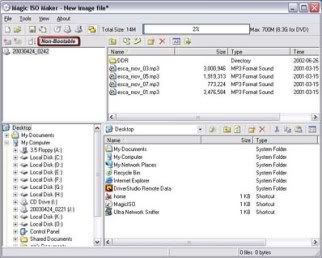
MagicISO is a powerful CD/DVD image file editor, CD burner, and CD/DVD backup tool. It can directly create, edit, extract, and burn ISO files. It also can convert almost all CD/DVD image formats to ISO/BIN/CUE, Nero (.NRG), and CloneCD (.CCD/. IMG/. SUB). With MagicISO, you can handle DVD image up to 10GB; make CD image files from CD/DVD-ROM; also can burn ISO files and other CD/DVD image files (BIN, IMG, CIF, NRG, BWI, VCD) to CD-R/RW; support loading boot image file exported by WinISO and UltraISO; burn CD image files in ISO9660, Joliet, and UDF format; edit properties of CD/DVD image files; it has the ability to correct volume serial number after editing original CD/DVD image file; search files or directories with wildcard characters in CD/DVD image file.

Features:
- Process almost all CD-ROM image file(s) including ISO and BIN.
- Ability to directly add/delete/rename/extract file(s) within image files.
- Convert image files to the standard ISO format.
- Supports ISO 9660 Level1/2/3 and Joliet extension
- Duplicate disc to ISO file from CD-ROM.
- MagicISO embed with Windows Explorer.
- You can convert almost all image file formats, including BIN, and save it as a standard ISO format file.
- Edit ISO file in many format(such as Nero burning ROM, Easy CD Creator, CDRWin, CloneCD, BlindWrite, etc).
- Select some files or directories, and then create the ISO based on these files.
- Make bootable ISO file.
- Because of its file associations, you can simply double click an ISO file in Windows Explorer to open it.
- Very easy to use interface but powerful enough for an expert.
- Backup CD to your hard disk.

Homepage
Download (3.13 MB)
Mirror
Mirror
Password: SA-matrix

Sep 6, 2007

MagicISO Maker 5.4 Build 0248

MagicISO is a powerful CD/DVD image file creating/editing/extracting tool. It can open / create / edit /extract CD/DVD image files, and it can convert bin to iso and back. as well as make ISO file from DVD/CD-ROM or hard disk, and handle bootable information at meanwhile.


Homepage
Download (2.97 MB)
Mirror
Password: softarchive

Aug 27, 2007

Magic Burning Studio 10.4.2

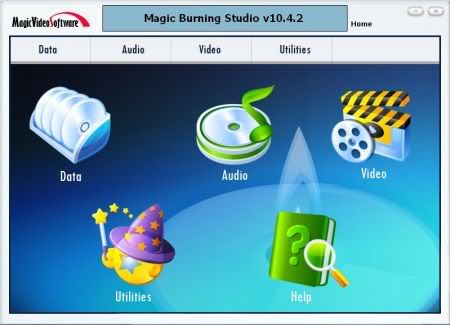
In the great tradition of MagicVideoSoftware, this CD/DVD burning application makes it really easy to create & copy your own data, video, audio and multisession CDs, DVDs discs.

Many current CD/DVD burning programs are universal “everything including the kitchen sink” applications that are overloaded with countless confusing functions. Magic Burning Studio makes life easier by concentrating on what you really want to do!

What can the Magic Burning Studio do for you?
* Create MP3 CDs/DVDs discs
* Burn Movies as Video DVD, Video CD (VCD) or Super Video CD (S-VCD)
* Create and burn CD/DVD Images
* Erase CD-RWs / DVD+RWs / DVD-RWs
* Supports file names with up to 127 characters for DVDs and 64 characters for CDs
* Burn speed and other options can all be set automatically
* Burns WAV, MP3, WMA and Ogg Vorbis files directly to Audio CDs without any plugins
* Create copies from audio, video or data discs easily
* Interactive troubleshooting assistant that helps to solve hardware and media problems
* Integrated support for over 1,700 CD, DVD burners
* ... and much more!

Homepage
Download (6.43 MB)
Mirror
Password: softarchive.net

AutoRun Pro Enterprise 12.0.3.126

AutoRun Pro Enterprise is a powerful visual tool to create professional autorun (autoplay) interfaces and presentations for your CD/DVDs. It is the easiest way to create, edit professional autorun (autoplay) interface and generate autorun files for CD/DVDs in a WYSIWYG environment, just click, point, place and test (preview). So all is visual, fast, simple. AutoRun Pro is easy to learn, with demos and wizards you can get started in just minutes!

AutoRun Pro Enterprise is a popular design tool for rapid creation of autorun CD browsers and presentations. Offering a simple point-and-click design environment, AutoRun Pro Enterprise allows anyone, regardless of computer competence and creative ability, to blend texts, images, video and audio into an interactive front-end for CDs and DVDs. In doing this, you can make use of wizards, templates and demos that let you jumpstart your autorun project in minutes. The end result can be compiled as a single executable file and burned onto a CD or DVD disk directly using the built-in CD Burner.

Main Page, Splash Screen, Screen Background, Agreement Form, Security Form, Exit Form and unlimited Sub Pages. Page Shadow, Page FadeIn and FadeOut, and many effects.

25 Objects: Button, ImageButton, Shape, Image, SimpleText, Label, Link, Text, ScrollText, ListBox, DropDownList, ListView, TreeView, ShellListView, ShellTreeView, TextBox, RichText, Explorer, Flash, AVI, MediaPlayer, SlideShow, Edit, RadioButton and CheckBox.

Homepage
Download (8.04 MB)
Mirror
Password: softarchive.net

Aug 16, 2007

Anvsoft DVD Burning Xpress 3.20

DVD Burning Xpress is a DVD authoring tool combined with video editing and DVD burning. It burns your home movies onto DVD in a cheapest and easiest way. DVD Burning Xpress transform raw videos into professional-looking movies and burn them on CD or DVD disc. With DVD Burning Xpress, you can create, edit your home movies right on your computer and turn your digital media into memorable projects on CD or DVD to share with family and friends.

Step one
DVD Burning Xpress: Burn DV camcorder video to DVD disc
The process of transferring video from your camcorder or other video sources to your computer is called capturing. Click the Video Capture button, DVD Burning Xpress easily import your video clips from your Camcorder.

Step two
DVD Burning Xpress: Burn DV camcorder video to DVD disc
The Edit Movie step is where you arrange, edit and trim the video clips used in your project. In this step, you can apply fade in/fade out effects to the existing audio of a video clip, extract or split video. DVD Burning Xpress includes more than 260 built-in transition effects and DVD menu templates, making it ideal for professionals or hobbyists to turn ordinary videos into works of art.
Step three
DVD Burning Xpress: Burn DV camcorder video to DVD disc
DVD authoring and burning are integrated in DVD Burning Xpress, enabling you to directly burn your creative works into DVD or SVCD disc. After that, you may play the burned DVD disc on your TV with DVD player.
DVD Burning Xpress is all about getting your media to disc in the desired format. It can convert video files (include DVD videos) into DVD format, transfer your digital camcorder tapes directly into DVD video, burn DVD videos onto DVD-R, DVD-RW, DVD+R or DVD+RW discs.

Homepage
Download (26 MB)
Mirror
Password: softarchive.net

Aug 13, 2007

MagicISO Maker 5.4 Build 246

MagicISO is a powerful CD/DVD image file editor, CD burner, and CD/DVD backup tool. It can directly create, edit, extract, and burn ISO files. It also can convert almost all CD/DVD image formats to ISO/BIN/CUE, Nero (.NRG), and CloneCD (.CCD/. IMG/. SUB). With MagicISO, you can handle DVD image up to 10GB; make CD image files from CD/DVD-ROM; also can burn ISO files and other CD/DVD image files (BIN, IMG, CIF, NRG, BWI, VCD) to CD-R/RW; support loading boot image file exported by WinISO and UltraISO; burn CD image files in ISO9660, Joliet, and UDF format; edit properties of CD/DVD image files; it has the ability to correct volume serial number after editing original CD/DVD image file; search files or directories with wildcard characters in CD/DVD image file.

Homepage
Download (3.23 MB)
Mirror
Password: softarchive.net

Jul 31, 2007

Elby CloneDVD 2.9.1.0 Final

elby CloneDVD 2 copies movies in unparalleled picture quality. If it's only the main movie or a complete DVD – CloneDVD compresses even long footage in brilliant quality and at high speed: A special transcoding technology compresses your choice of DVD titles according to your audio and language selection automatically to a freely adjustable target size. Our unique Film Strip assistant will guide you step by step through all settings. With the help of the video Preview you select the desired DVD titles and decide if you want to trim individual chapters. Quality bars show the direct influence of the title and language selection on the quality of the movie copy. Even beginners always keep track.

Changes in Version 2.9.1.0, 2007 07 25:
- Fix: In rare situations CloneDVD could "overcompress", causing blocking artifacts and pixelation
- Some minor changes and improvements
- Updated languages

Homepage
Download (4.87 MB)
Mirror
Password: softarchive.net

Jul 9, 2007

Nero Ultra Reloaded 7.10.1.0 with Mega Plugin Pack

Nero 7 - The Ultimate solution for Data, Video, Photo, Audio and BackUp! The redesign of the user interface improves the usability and makes Nero Burning ROM 7 the fastest to use ever. The access from Nero Burning ROM to the Nero Home database guarantees easy access to media files including advanced search options with Nero Scout.

Nero 7 Premium enables you to experience your digital media in completely new and innovative ways. With the addition of a Nero Home – media manager, you can now have the complete PC and TV experience. Whether you want to access your media files from the comfort of your living room, or complete digital media projects on your PC, Nero 7 Premium is all you need.

Homepage
Download (95+85 MB)
Part 1
Part 2
Password: trtsoftware

Jun 28, 2007

DAEMON Tools Pro 4.10.0215 32bit

DAEMON Tools Pro is CD & DVD emulation software which allows users to make CD/DVD disc images, create a virtual CD / DVD drives and play CDs & DVDs without the need for the physical disc.

- DAEMON Tools Pro enables you to create up to 32 virtual drives, allowing you to run your game images at over hundreds times faster than from a conventional CD-ROM.
- DAEMON Tools Pro supports more PC games than any other CD emulator! It is able to emulate nearly all PC games on the market today.
- DAEMON Tools Pro enables you simultaneously play your favorite game and bring up your route planner written on another CD-ROM, without having to eject and reload any physical discs.
- DAEMON Tools Pro at the office: Program discs and many other applications generally require the original Disc to be in the computers CD-ROM drive, this restricts the amount of people in your office who can have access to the same software at the same time without the cost of additional discs, DAEMON Tools Pro virtual drives resolves that problem for you. No more hunting around the offices for that elusive disc you need to run your application, every thing you require is just a click.

Homepage
Download (6.99 MB)
Mirror
Password: trtsoftware

Jun 9, 2007

Alcohol 120% 1.9.6.5403 Retail

Alcohol 120% is CD/DVD emulation and recording software that allows users to copy discs. Store your most used or important CDs as images on your computer and run them at 200x speed from up to 31 virtual CD or DVD drives. Alcohol is compatible with more than 99% of drives available. It supports the latest image file types including - MDS, CCD, BIN, CUE, ISO, CDI, BWT, BWI, BWS, BWA and many more.

Changes in version 1.9.6.5403, 2007-06-04:
- NEW Increased memory buffer from 128 to to 256
- NEW support for isz, b5t b6t image file formats
- NEW Upgraded Reading Engine, Speed Improved
- NEW Upgraded Writing engine, Speed Improved
- NEW Upgraded Starwind ISCSI function
- NEW SPTD layer to version 4.17
- FIX Addressed some blacklisting problems
- FIX Bugs reported by some users
- FIX Vista compatible problem concerning activation
- UPDATE language files
- UPDATE Devsupp additional support for more drives

Homepage
Download (8.54 MB)
Mirror
Password: trtsoftware

May 8, 2007

VSO BlindWrite 6.0.4.31


Blindwrite, your ultimate game copy back up tool! BlindWrite extracts all the characteristics of your media to your harddrive to reproduce a working copy of your media. It allows you to protect your investments against damage caused by children, scratches or by frequent use. Your personal CD or DVD backups can even be run directly from your computer using a virtual drive (i.e. Daemon Tools). Blind write's Game Copy Software supports a large number of formats and is regularly updated to support the latest technology.

Combined with CopyToDVD, it is a complete set of software for all your backup needs: data files, 1:1 CD/DVD backups, audio CDs from music files and DVD movies. A must-have! Blind Write supports all popular CD/DVD writers and handles every available DVD format (DVD-R, DVD+R, DVD-RW, DVD+RW, DVD-RAM, DVD+R Double Layer, DVD-R Dual Layer).

Key features of BlindWrite:
• Completely new interface, easier to use than ever before, one-click style
• Supports graphical themes, allowing you to customize the look and feel
• New reading and writing engine, now supports both CD and DVD
• Works with most hardware, hightly optimized for finest CD/DVD writers
• Supports a large number of formats: BlindWrite 4.x (.BWT), CloneCD (.CCD), Iso images (.ISO), Cuesheet/Binary (.CUE/.BIN), Alcohol (.MDS)
• Multi-language support (English, French, German, and lots more)
• Voice notifications for program events
• Extended log information for easy technical support
• Compatible with Windows 98/ME/2000/XP/2003

Homepage
Download (6.18 MB)
Mirror
Password: softarchive.net

Apr 17, 2007

Virtual CD 9.0.0.1

Virtual CD provides 200x speed and noiseless CD/DVD access without the physical drive. No need to insert a CD and no more tiresome CD swapping. Virtual CD copies CD/DVDs to your hard-disk using efficient compression algorithms, providing virtual CD drives on your Windows desktop.

It also supports MP3 compression, you can gain up to 95 percent free space for audio CD compression. Laptop users save precious battery energy and can use additional equipment instead of the physical CD-ROM, since there is no need to carry an external CD drive and the media. Virtual CD supports CD-ROM, DVD-ROM, DVD Video (if not CSS encrypted), Video CD, Photo CD, Extra CD, Mixed Mode CD, CDI and Audio CD including CD Text! Almost any existing CD title is supported thanks to the new RAW mode read-out method including sub-channel information. The Multi-session Virtual CD Editor allows to create personalized CD images, which can be useful to test CD-R projects before wasting CD-R media.

Homepage
Download (45 MB)
Password: softarchive.net

More CD/DVD Soft

Apr 15, 2007

Smart DVD CD Burner 3.0.72

Smart DVD/CD Burner is an easy-to-use and effective DVD/CD burning software for Beginners and Professionals. With this burning program you can create high-quality CD (audio/data) and DVD discs, containing your music and files. Full Drag and Drop support, Importing multi-session DVD/CDs, Burning Music CD directly from MP3/OGG/WMA/WAV files, On-the-fly recording, Erasing re-writable discs, Supporting majority of modern IDE/USB/SCSI/FireWire DVD/CD writers drive, Supporting buffer protection systems (BURN-Proof) and more are all included in the latest version of Smart DVD/CD Burner.

Features:
* Full Drag and Drop support
* Simple, easy-to-use and highly customizable interface
* Supports majority of modern IDE, USB, SCSI and FireWire CD/DVD writers
Pioneer, Sony, Ricoh, HP, Toshiba, Plextor, Lite-On, Mitsumi, HP, LG, Philips, TEAC, Toshiba, TDK, etc
* Supports all CD-R / CD-RW / DVD+R / DVD+RW / DVD-R / DVD-RW /DVD-RAM discs
* Supports various MP3 / OGG / WMA / WAV audio files for burning music CD directly; no temporary files are required
* Produces excellent sound quality without distortion
* Supports Buffer Protection systems, like Burn Proof and others for error free recording
* Imports multi-session data DVD/CDs and merges new files with an existing session
* Testwrite function
* Quick and full erase rewritable discs
* Records DVD/CDs On-the-Fly; no disk space is required for temporary files
* Shows properties of your drive and disc
* Supports long file name and multilanguage (Joliet) file system
* Creates fully compatible ISO9660 Level 1, 2 and Joliet data DVD/CDs
* Built-in ASPI Layer for Windows NT, 2000 and XP

Homepage
Download (7.63 MB)
Mirror (mega)
Password: softarchive.net

Apr 14, 2007

PowerISO 3.7

Create, edit, extract, convert, compress, encrypt, mount CD image file!!!
PowerISO is a powerful image processing and file compression tool, which allows you to create, extract, compress, edit and convert ISO/BIN image files, and mount these files with internal virtual drive. And most of all, the compressed files can be used directly without decompressing.

Changes in PowerISO 3.7 (Apr 12, 2007):
+) Support Windows Vista 64 bit edition.
*) Improved cd/dvd burning.
*) Some minor bug fixes and improvements.

Homepage
Download (1.08 MB)
Mirror (megga)
Password: softarchive.net